
In the world of gaming, having the right setup can make all the difference between a mediocre experience and an immersive adventure. Building your own gaming PC allows you to tailor your system to your specific needs and preferences. This guide will help you navigate the intricate details of selecting components, assembling your PC, and ensuring optimal performance for your gaming endeavors.
Understanding Your Gaming Needs
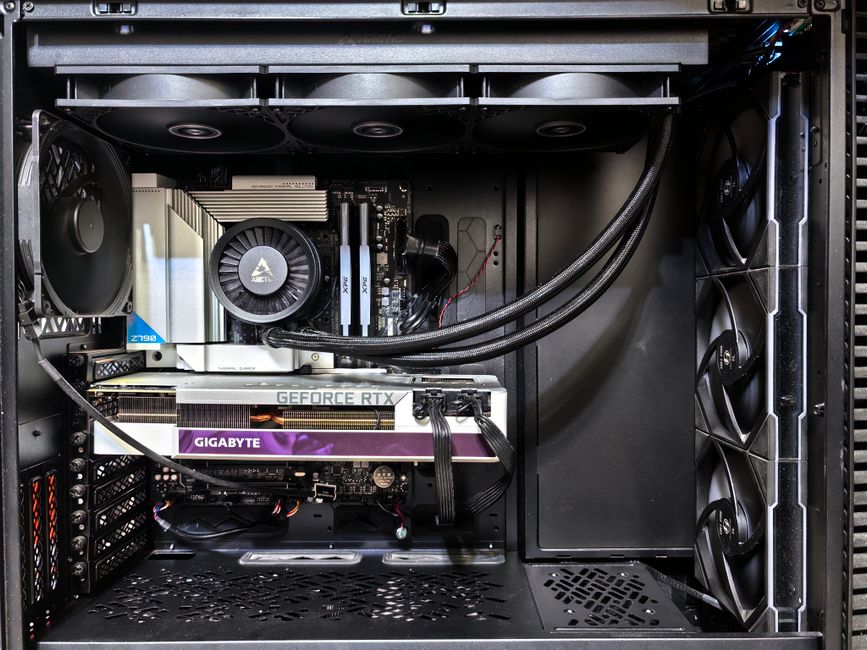
Before diving into the components, it’s crucial to assess your gaming needs. Are you a casual gamer who enjoys story-driven adventures, or are you an esports enthusiast looking for high frame rates? Understanding your requirements will help you make informed decisions when selecting parts. For instance, games like “Call of Duty” or “Cyberpunk 2077” demand higher specifications compared to less demanding titles.
Additionally, consider the types of games you plan to play and whether you need features like virtual reality support. This understanding will guide you in choosing the right graphics card, processor, and other components that align with your gaming preferences.
Selecting the Right Components
Choosing the right components is the backbone of building a successful gaming PC. Here’s a breakdown of the essential parts:
1. Central Processing Unit (CPU): The CPU is the heart of your PC. For gaming, a quad-core processor is generally sufficient, but opting for a six-core or higher will future-proof your build. Popular choices include Intel’s Core i5 and AMD’s Ryzen 5 series.
2. Graphics Processing Unit (GPU): The GPU is often regarded as the most important component for gaming performance. Cards from NVIDIA’s RTX series or AMD’s RX series are excellent choices. The gaming PC builder tools can assist in finding compatible options based on your budget.
Assembling Your Gaming PC
Once you have selected your components, it’s time to assemble your gaming PC. This process can be daunting for beginners, but it is quite straightforward when broken down into steps:
1. Prepare Your Workspace: Find a clean and static-free workspace. Gather all your tools, including a screwdriver, and ensure you have a good reference for your motherboard manual.
2. Install the CPU and Cooler: Carefully install the CPU into the motherboard and secure it according to the manufacturer’s instructions. Attach the cooling solution, ensuring proper thermal paste application if necessary.
3. Install RAM and GPU: Insert the RAM sticks into the motherboard slots and firmly secure them. Next, install the GPU into the appropriate PCIe slot.
Installing the Operating System
With your gaming PC assembled, the next step is to install an operating system. Windows is the most popular choice among gamers due to its wide compatibility with games and software. Here’s how to do it:
1. Create a Bootable USB: Download a Windows ISO file and use a tool like Rufus to create a bootable USB drive.
2. Boot from USB: Insert the USB into your PC and boot from it. Follow the on-screen instructions to install Windows.
3. Update Drivers: After installation, ensure to update your GPU and other drivers for optimal performance.
Optimizing Your Gaming Experience
After setting up your gaming PC, optimizing it for the best performance is essential. Here are some tips:
1. Monitor Your Temperatures: Use software tools to monitor the temperatures of your CPU and GPU during gaming sessions. Ensure that they stay within safe limits to prolong their lifespan.
2. Overclocking: If you’re familiar with overclocking, this can provide a performance boost. However, proceed with caution and ensure adequate cooling.
3. Regular Maintenance: Keep your PC clean and dust-free. Regularly check for software updates and game patches to ensure optimal performance.
Conclusion
Building a gaming PC can be a rewarding experience that not only enhances your gaming but also provides a sense of accomplishment. By understanding your gaming needs, selecting the right components, and following proper assembly and optimization procedures, you can create a powerful gaming machine tailored to your preferences. Whether you’re a novice or a seasoned builder, this guide serves as a valuable resource to help you on your journey toward creating the ultimate gaming experience.
