
In the world of gaming, having the right equipment can make all the difference. For many gamers, building a custom gaming PC is not just about performance but also about personal expression and the satisfaction of creating something uniquely their own. This guide will explore the essential components, considerations, and steps involved in becoming a successful gaming PC builder.
Understanding the Core Components
Before diving into the building process, it’s important to understand the core components that make up a gaming PC. The main parts include the CPU, GPU, RAM, storage, motherboard, power supply, and case. Each component plays a critical role in the overall performance of the system.
The CPU, or central processing unit, is often referred to as the brain of the computer. It handles all the instructions from programs and is essential for performance. A powerful CPU can significantly enhance gaming performance and multitasking capabilities.
The GPU, or graphics processing unit, is crucial for rendering images and graphics. Gamers often prioritize a strong GPU to ensure smooth gameplay and high frame rates, especially in graphically demanding titles. In recent years, the market has seen a surge in demand for high-performance GPUs, leading to increased prices and stock shortages.
RAM, or random access memory, temporarily stores data that the CPU needs to access quickly. For gaming, 16GB of RAM is generally considered the sweet spot, providing enough memory for modern games without breaking the bank. Additionally, choosing the right motherboard ensures compatibility among all components and can influence upgrade paths in the future.
Choosing the Right Components
When selecting components for your gaming PC, it’s crucial to consider your gaming needs and budget. Start by determining the types of games you play and the performance you expect. For instance, if you primarily play competitive games like Fortnite or CS:GO, a high-refresh-rate monitor and a powerful GPU should be your top priorities.
Next, research the latest hardware releases and reviews. Websites and forums dedicated to PC building can provide valuable insights into the best components available. Additionally, tools like gaming PC builder websites allow you to compare prices and compatibility, helping streamline your selection process.
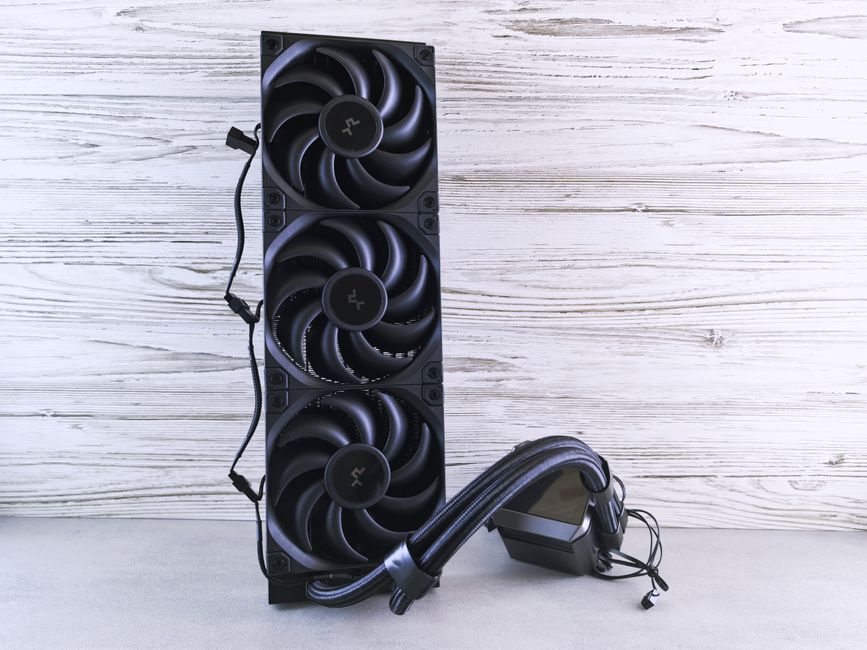
Don’t forget about cooling solutions, either. High-performance components generate heat, and effective cooling is essential to maintain optimal performance and longevity. Options include air coolers, liquid cooling systems, and even custom water loops for those who want to go the extra mile.
Assembling Your Gaming PC
Once you have gathered all your components, it’s time to assemble your gaming PC. This step can be daunting for first-time builders, but with careful attention and patience, it can be a rewarding experience. Start by preparing your workspace and ensuring you have all necessary tools at hand, such as a screwdriver and anti-static wrist strap.
Begin by installing the CPU onto the motherboard, followed by the CPU cooler. Next, insert the RAM sticks into the appropriate slots. After that, install the motherboard into the case, ensuring all screws are tight and secure. Then, connect the power supply and install the GPU. Finally, manage your cables neatly to promote airflow.
Once everything is assembled, it’s time to power up your PC for the first time. If all goes well, you should see the BIOS screen. From there, you can install your operating system and any necessary drivers, setting the stage for your gaming adventures.
Testing and Optimization
After assembling your gaming PC, testing its performance is crucial. Run benchmarks and stress tests to identify any potential issues. Software tools can help you monitor temperatures, frame rates, and overall performance. If you notice overheating or system instability, consider revisiting your cooling solutions or checking for hardware issues.
Optimization is also key to enhancing your gaming experience. Adjust graphics settings within games to find the perfect balance between performance and visual quality. Additionally, keeping your drivers up to date ensures you have the latest performance enhancements and bug fixes.
Future-Proofing Your Build
One of the most significant advantages of building your gaming PC is the ability to upgrade individual components over time. As games become more demanding and technology evolves, consider future-proofing your build by selecting a motherboard with additional slots and connections for future upgrades.
Investing in a quality power supply that meets the needs of your current components while allowing for future expansion can save you from the hassle of needing a complete system overhaul later on. Also, be mindful of the size and compatibility of your components to ensure that future upgrades can be easily accommodated.
Conclusion
Building your gaming PC is not only about the final product but also the journey of creating something that reflects your personal style and gaming preferences. By understanding the core components, making informed choices, and assembling your system with care, you can craft a powerful machine that meets your gaming needs. With the right planning and research, your dream gaming setup is within reach, paving the way for countless hours of immersive gameplay.
