
In the world of gaming, having the right setup can make all the difference. A gaming PC not only enhances the visual experience but also optimizes performance. Whether you’re a casual gamer or a professional competitor, building your own gaming PC can be a rewarding endeavor. This guide will walk you through the essential components, tips for selection, and considerations for assembling your gaming rig.
Understanding the Basics of Gaming PCs
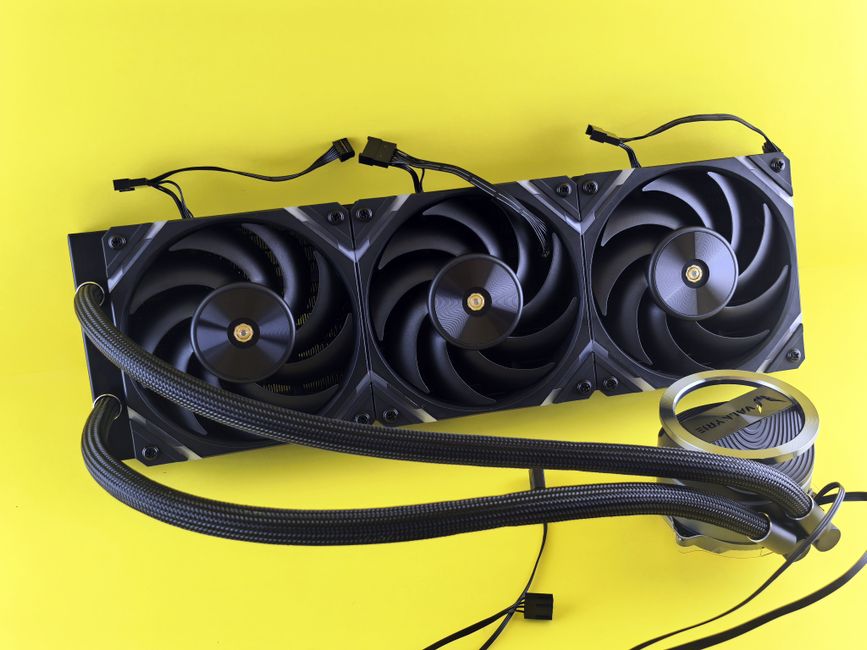
Before diving into the specifics of each component, it’s crucial to understand what makes a gaming PC different from a regular computer. The primary elements that define a gaming PC include a powerful graphics card, a fast processor, sufficient RAM, and adequate cooling systems. These components work together to ensure smooth gameplay and high frame rates.
Many gamers prefer to build their own systems rather than buy pre-built ones. This allows for customization to fit specific needs and budgets. Additionally, building your own PC can often be more cost-effective, providing better performance for the price.
Key Components of a Gaming PC
The heart of any gaming PC lies in its components. Here are the key parts you need to consider:
1. Graphics Card (GPU): This is arguably the most important component for gaming performance. Modern games demand high-quality graphics, and a powerful GPU can handle the latest titles. Brands like NVIDIA and AMD dominate the market, offering a range of options from budget to high-end.
2. Processor (CPU): The CPU is the brain of your computer. It processes all the instructions from games and applications. For gaming, a multi-core processor is recommended, with brands like Intel and AMD providing excellent choices.
3. RAM: Random Access Memory (RAM) is crucial for multitasking and running games smoothly. For a gaming PC, 16GB is generally considered the minimum, with 32GB being ideal for more demanding applications.
4. Storage: SSDs (Solid State Drives) have become the standard for gaming due to their speed. They significantly reduce load times compared to traditional HDDs (Hard Disk Drives). A combination of both can provide a balance of speed and storage capacity.
5. Motherboard: The motherboard connects all your components. It’s important to choose one that is compatible with your CPU and has enough slots for RAM and expansion cards.
Choosing the Right Components
When selecting components, compatibility is key. Not all parts will work together, so it’s essential to research and verify that your choices match. Websites like PCPartPicker can help you ensure compatibility and provide price comparisons.
Another consideration is your budget. Gaming PCs can range from a few hundred dollars to several thousand. Setting a budget upfront can help narrow down your choices and prevent overspending.
Performance benchmarks and reviews are also invaluable. Before making a purchase, check how different components perform in real-world gaming scenarios. Websites and forums dedicated to gaming can provide insights from other users.
Assembly Process
Once you have all your components, it’s time to assemble your gaming PC. The process can be daunting for beginners, but with patience and attention to detail, it can be straightforward.
Start by preparing your workspace. Make sure you have all the tools you need, typically just a screwdriver. Ground yourself to avoid static electricity damage to components. Begin with the motherboard, installing the CPU and RAM before placing it in the case.
Next, install the power supply and connect all the necessary cables. Finally, add the GPU and storage drives. Ensure everything is securely connected, and then close up the case.
Testing and Optimization
After assembly, it’s time to power up and test your new gaming PC. Monitor the temperatures to ensure everything is running within safe limits. Use benchmarking tools to evaluate the performance of your system and make adjustments as needed.
Overclocking is an option for those looking to squeeze out extra performance, but it comes with risks and requires careful monitoring. Make sure you understand the implications before proceeding.
Lastly, keep your drivers updated. Manufacturers frequently release updates that can improve performance and fix bugs, ensuring your gaming experience remains optimal.
Conclusion
Building a gaming PC is an exciting project that offers a sense of accomplishment and tailored performance. By understanding the components, choosing wisely, and assembling carefully, you can create a system that not only meets but exceeds your gaming needs. With the right tools and information, anyone can become a successful gaming PC builder.
